
Role
Design Lead & Balancing
Description
“Barque of Ra” is a 3D strategy & tower defense game playing within the underworld of Egyptian mythology.
The goal is to guide souls through the underworld and guarantee their safety. However you must choose which souls should fight for defense and which should stay on the barque for safekeeping.
Barque of Ra is my 2. semester student project that I developed with a team of 12 people within 10 weeks.
Start & Finish Time
10.06.2025 - 11.08.2025
Genre
Strategy / Tower Defense
Platform
PC
Engine
Unity
Game Link
Software & Tools
During the creation of Barque of Ra I used & managed the following tools:
Google Sheets | GDD
Unity | Balancing & In-Engine Adjustments
Perforce | Version Control
Miro | Team Communication
Taiga | Kanban Board
Google Sheets | Creation & Use of Balancing Tools & Production Tools
Balancing Sheet
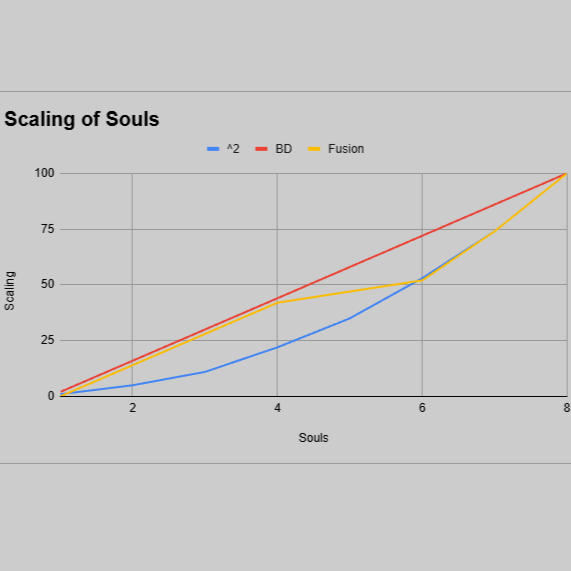
For Barque of Ra I created a Balancing Sheet, which could simulate combat in pure numbers. I made this simulation of combat to quickly test out the impact of changes in each value & to a clearer view on which unit may be over- / under powered.
The simulation was especially important in the phases of production, which were unable to deliver playtests & it gave me a much needed headstart in the process of balancing the game in an appropriate manner.
I also make use of the Google Sheets Apps Script extension in order to make the process of creating such a large sheet quicker.
Balancing
Balancing Graphs
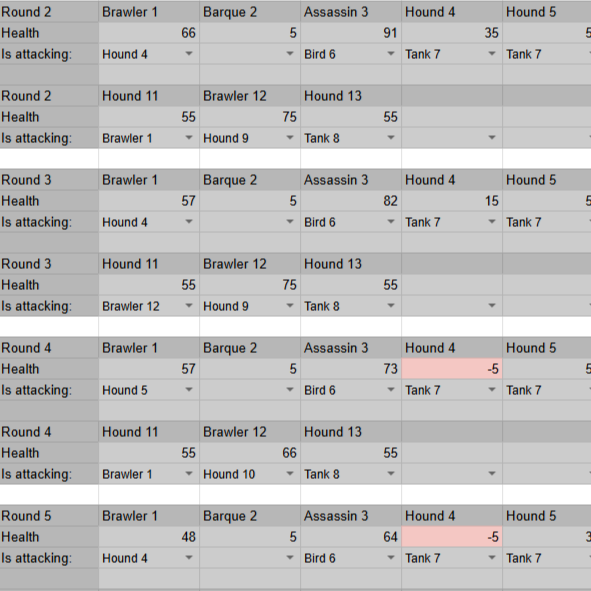
I also made use of graphs & equations to map out a view the impact of differently scaling systems.
For example: The Souls Scaling System decided how damage of friendly units should scale in comparison to the players current amount of HP. It was balanced around the having a more or less even split of banked HP & attacking units, whilst also giving a reward for more aggressive or defensive playstyle.
Production Tools
Burndown Chart & Task Tracking
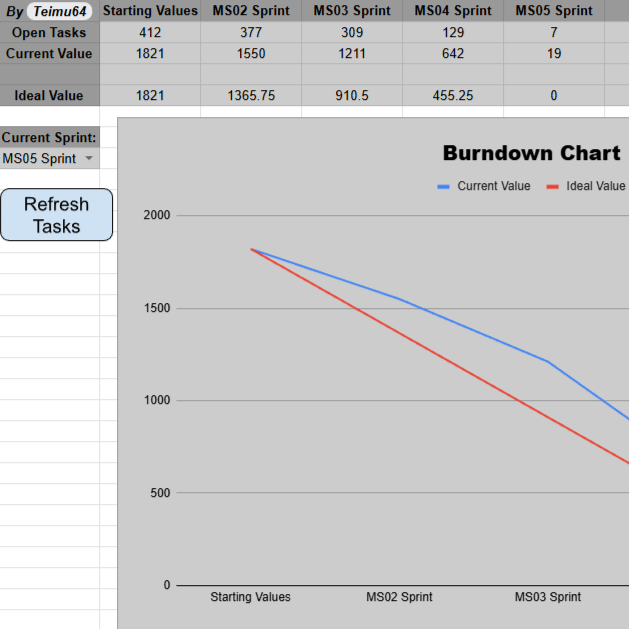
Before the 2. semester project started, I created a template for a more advanced Burndown Chart, in comparison to the one I used in my 1. semester.
With the guidance of what our producer needed, I adjusted the template to the projects’ needs. I connected it via Apps Script to our Taiga (Kanban Board), so it automatically inserts all the data from every task correctly & turns it into a burndown chart.
Upon the request of our producer, I also added a sort able table of every task & a hour breakdown for every sprint.
The table of every task was used for a better overview of all the tasks & the hour breakdown was to check if any team members have too many or too few tasks scheduled.